




Video Messages & Updates
Record quick personal check-ins
Capture a clean camera message, trim the ends, and download a universal MP4 in seconds.
Record crisp HD webcam videos with microphone audio directly in your browser—featuring mirror toggle, 16:9/9:16/1:1 framing, 3-second countdown, instant trimming, and zero watermarks.
Preview your camera framing, mirror flip, and mic level—never uploaded anywhere
Supports MP4, MOV, MKV, and WebM — opens immediately in your browser with no upload wait
Drag Start/End handles to trim · Space Play/Pause · ←/→ Frame step · Ctrl+Z Undo
Save your finished MP4, WebM, GIF, audio track, or subtitle file straight to your device with zero watermarks.
Bring your media into a complete timeline. Add clips, titles, captions, and music.
Webcam Recorder captures clean camera and microphone recordings directly on your device—with mirror preview toggle, 3-second countdown, pause/resume, built-in trimming, and watermark-free MP4 or WebM downloads.
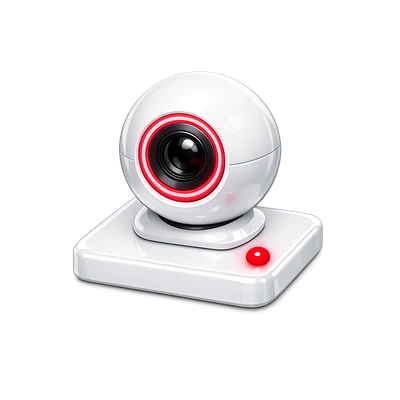
Capture a clean camera message, trim the ends, and download a universal MP4 in seconds.
Use the 3-second countdown to settle your framing and pause between talking points.
Toggle Mirror camera off whenever holding up notes, whiteboards, or packaging.
Frame yourself naturally with live mirror preview—or un-mirror so whiteboards and printed text read left to right.
Mirror camera horizontally makes framing feel like looking into a natural mirror, while turning it off ensures text on signs or books never appears backwards.
Settle your posture and eye line during the countdown and pause seamlessly between talking points.
Pause anytime to check your script, then Resume into the same continuous video clip.
Review your take immediately, trim beginning and ending seconds, and save as universal MP4 or WebM.
Exported MP4 recordings open directly on iPhone, Mac, Windows, Android, and LMS/course uploaders.
Your camera and microphone stream stays strictly inside your browser tab and is never uploaded to any server.
Retake as many times as you want knowing zero footage ever leaves your computer or phone.
File size depends only on your device's available browser memory—there are no artificial duration caps, daily quotas, or corner watermarks.
All video previewing, trimming, compression, and cropping run locally inside your browser on i2Vid. Your source footage and finished downloads are never uploaded to external servers.
A few answers before you get started.
On your deviceFront-facing cameras often mirror like a bathroom mirror for natural framing. Uncheck Mirror camera horizontally if you want held-up text to read left to right.
Yes. After stopping the recording, keep MP4 (Universal) selected in Settings and click Export Video.
Yes. Click Pause anytime during your take and Resume to continue into the same video file.
Yes, stopping the camera loads your clip straight onto the filmstrip trimmer.
100%. Recording happens locally inside your browser tab with zero server uploads.
Never—all recordings are completely watermark-free.